

Make more of your catalog discoverable
Surface similar products shoppers might otherwise miss while browsing individual product pages.
SIMILAR PRODUCTS BY IDEAL HOUSE
Help shoppers discover visually similar products across your catalog.Add Similar Products to product pages, bring it into the Ideal House Visualizer,or use our API to power recommendations in cart and abandonment journeys.
Book a DemoTHE NEXT PRODUCT IS ALREADY IN YOUR CATALOG
A shopper may like the look of a product and still want another option. Similar Products brings visually similar alternatives into the shopping journey, helping them explore more of your catalog from the product that first caught their attention.
Surface similar products shoppers might otherwise miss while browsing individual product pages.
Give shoppers a relevant starting point for exploring alternatives and choosing what works for them.
Place recommendations where shoppers browse, visualize, and consider their next step.
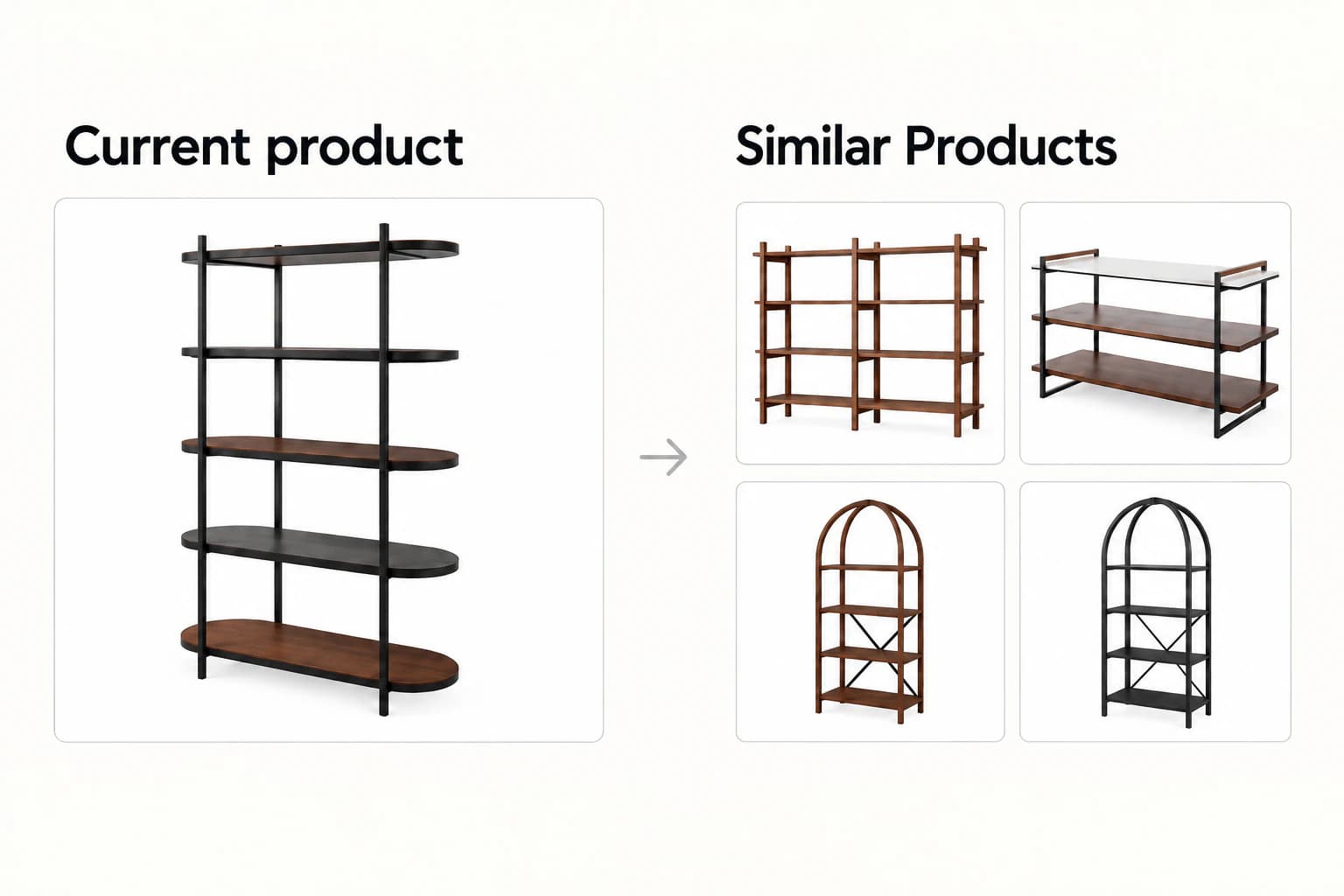
Illustrative recommendation layout using product imagery. Similar product recommendations depend on the product range and size of each merchant’s catalog.
BEYOND A SINGLE TOUCHPOINT
Use the widget on your website, explore products in room context with the Ideal House Visualizer, or connect recommendations to your own experiences through the API.
Show visually similar alternatives alongside the product a shopper is already viewing. Give them more options to explore directly from the PDP.
See how it fits your store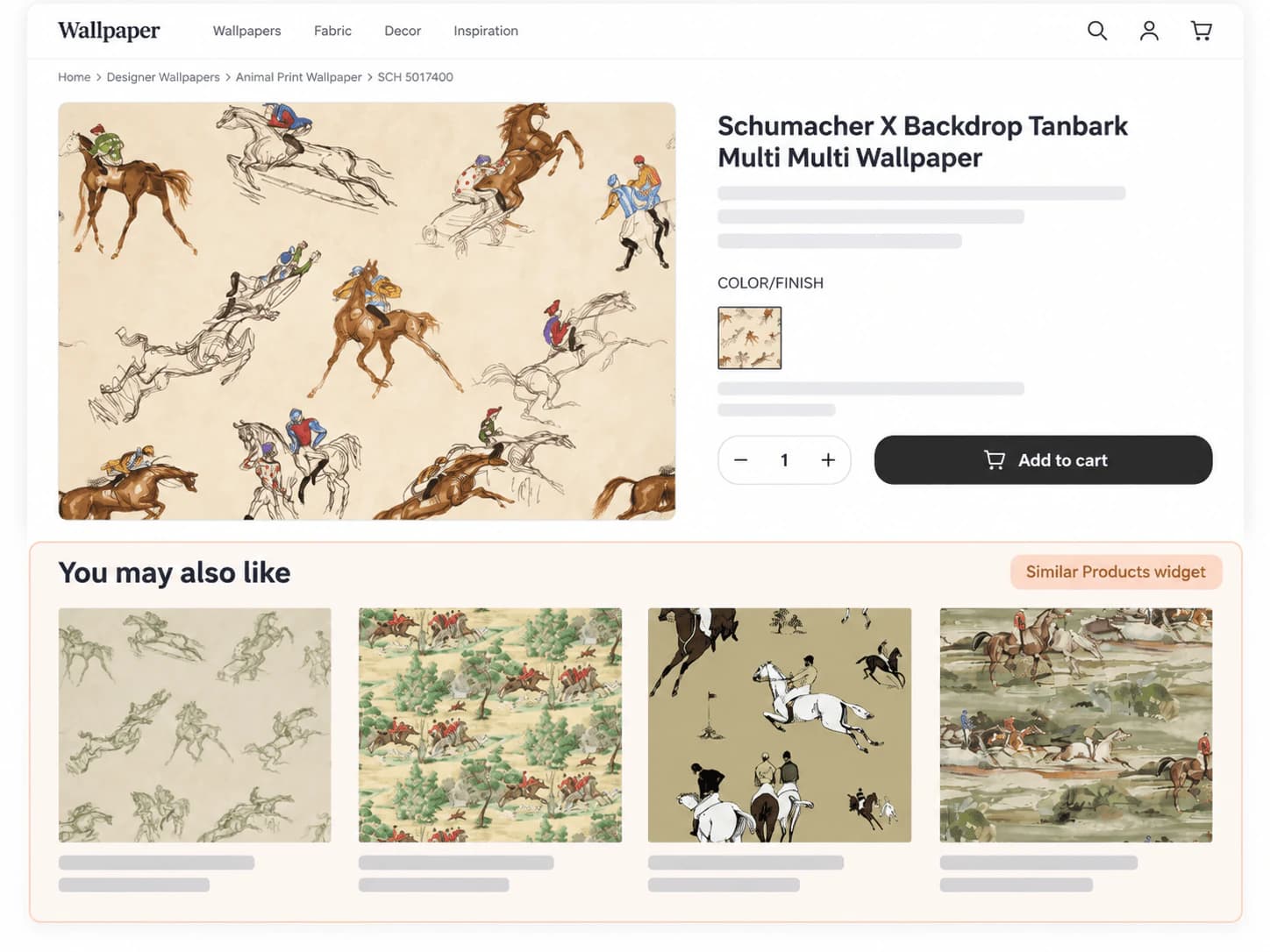
Help shoppers discover similar products, try alternatives in the same room, and compare the look before visiting a product page.
Use the API to bring similar-product options into your cart experience when shoppers are still considering their choice.
Use the API to include visually similar alternatives in your existing abandonment flows, giving shoppers another product to consider when they return.
PDP widgets and API-powered experiences do not require the Ideal House Visualizer. Cart and abandonment placements are implemented through your existing site or marketing workflows.
BROAD CATALOG COVERAGE
Use Similar Products across your site’s product catalog—even for products that have not been prepared for room visualization. Standalone recommendations do not require your catalog to meet visualizer-readiness requirements.
Support visual product discovery across home furnishings, surfaces, and a broad range of other product categories.
✓ No visualizer required for standalone recommendations.DISCOVERY, IN THE ROOM
Inside the Ideal House Visualizer, Similar Products gives shoppers a way to keep exploring from the product they are already previewing.
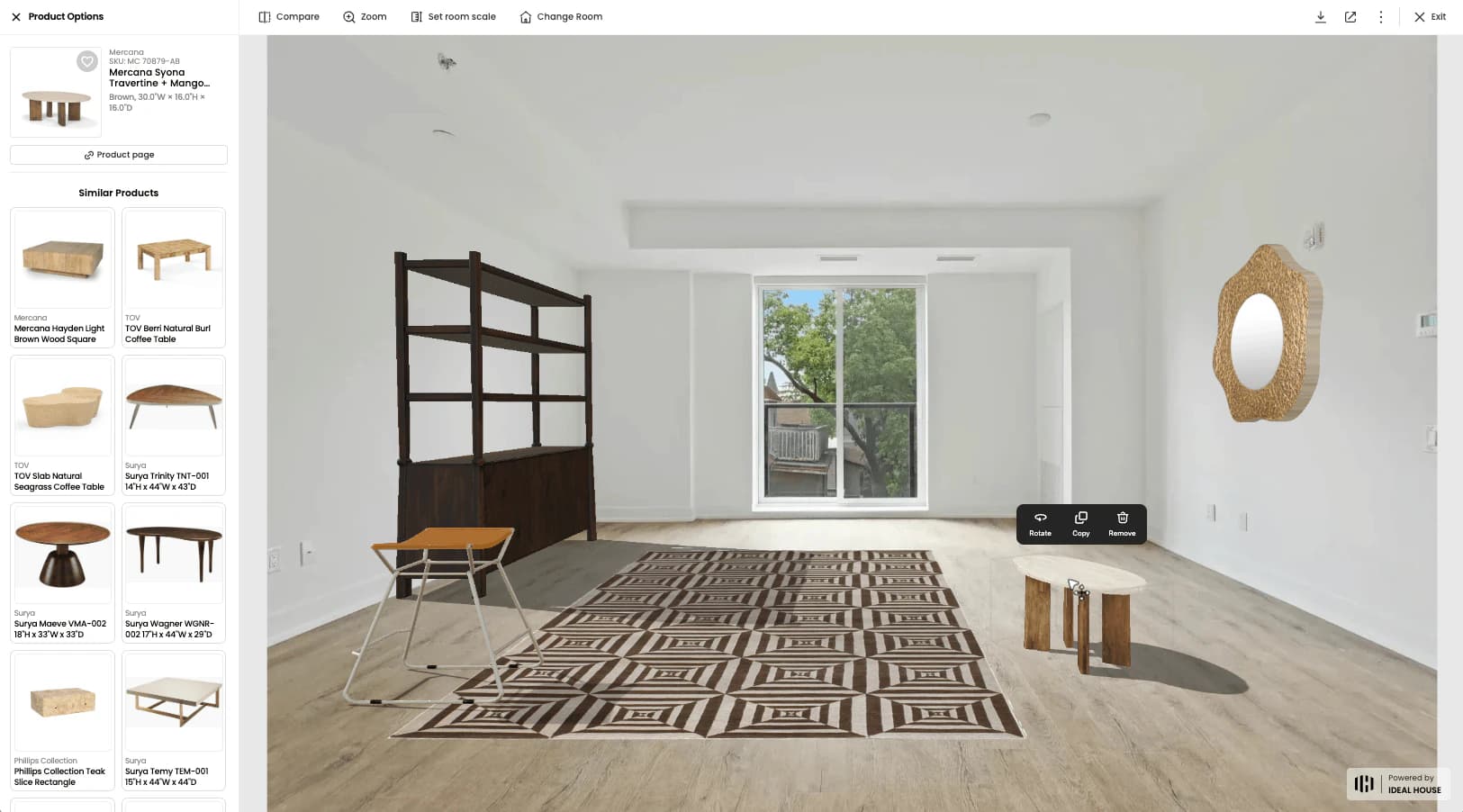
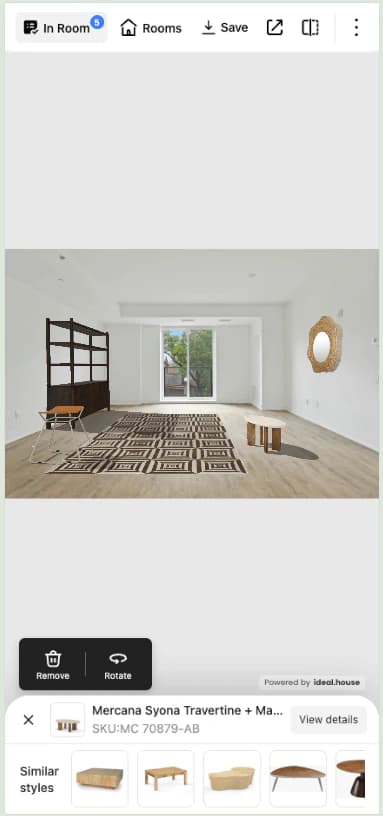
See the selected product in a room.
Browse visually similar alternatives from the recommendation panel.
Place another option in the same room and compare the look.
Continue to product details when an option catches their eye.
OBSERVED IN THE VISUALIZER
An internal comparison of visualizer usage with and without Similar Products showed deeper product exploration and longer iOS mobile engagement.
PRODUCT EXPLORATION
2.27×per visualizer opening, on average, compared with usage without Similar Products.
MOBILE ENGAGEMENT
+50%spent in the visualizer.
Source: Ideal House internal visualizer usage analysis. Figures compare usage with and without Similar Products. These observations relate to the visualizer experience, not standalone PDP, cart, or abandonment placements. Results may vary.
FITS YOUR NEXT STEP
Start with the standalone Similar Products widget or API. You can add visual recommendations without first adopting the Ideal House Visualizer.
Extend similar-product discovery beyond the visualizer. Talk to us about additional brand and SKU coverage, website placements, and API-powered experiences.
Add standalone Similar Products to other parts of your shopping journey while keeping your current visualizer. Contact us to discuss placement and integration options.
SIMPLE CAPACITY-BASED PLANS
Compare plans by active SKU coverage and monthly recommendation-item allowance.
$799/month
$1,099/month
$1,599/month
Not sure which plan fits your catalog and expected usage? Contact sales to discuss your requirements.
Similar Products is Ideal House’s visual product recommendation offering. It helps shoppers discover visually similar alternatives and is available as a website widget, through an API, and within the Ideal House Visualizer.
No. You can use the standalone widget or API without adopting the Ideal House Visualizer.
No. Standalone Similar Products does not require products to meet visualizer-readiness requirements. Your team will still need to connect the product data used for recommendations.
Similar Products supports furniture, wallpaper, rugs, tile, flooring, and a broad range of other categories. Contact us to discuss your product assortment.
Use the widget on product pages and other website placements, or use the API to power recommendations in cart and abandonment workflows. Similar Products is also available inside the Ideal House Visualizer.
Yes. You can use standalone Similar Products elsewhere on your website while retaining your current visualizer. Contact us to discuss your integration requirements.
Plans are based on active SKU capacity and monthly recommendation-item allowance. Contact sales to confirm the right plan for your catalog, brands, and intended placements.
There is no sales commission, no separate AI credit charge, and no setup fee for the data connection. Contact sales to discuss any custom implementation requirements.
No. The figures shown on this page come from internal visualizer usage comparisons. They do not represent measured results for standalone product-page, cart, or abandonment implementations.
LET’S EXPLORE THE POSSIBILITIES
See how Similar Products could work across your catalog and shopping journey. Book a demo or contact our team for pricing.
EXPLORE IDEAL HOUSE
Help shoppers preview your products in real rooms.
Explore product visualizationFOR YOUR APPLICATIONExplore home design AI workflows for your product.
Explore the APIFOR YOUR DEVELOPERSFind SDK and API guides, quick starts, and integration references.
Read the documentation