

Show furniture alongside other pieces
Preview selected sofas, chairs, and tables in furnished room scenes so shoppers can judge how the pieces look together.
Give your shoppers a clearer view of how your furniture looks and fits in a room. Let them compare size, placement, and style, then return to the right product in your store.
Merchant workflow
Let shoppers open a room preview from a piece they like in your collection. The selected product stays connected to its page, so they can check details and continue shopping.
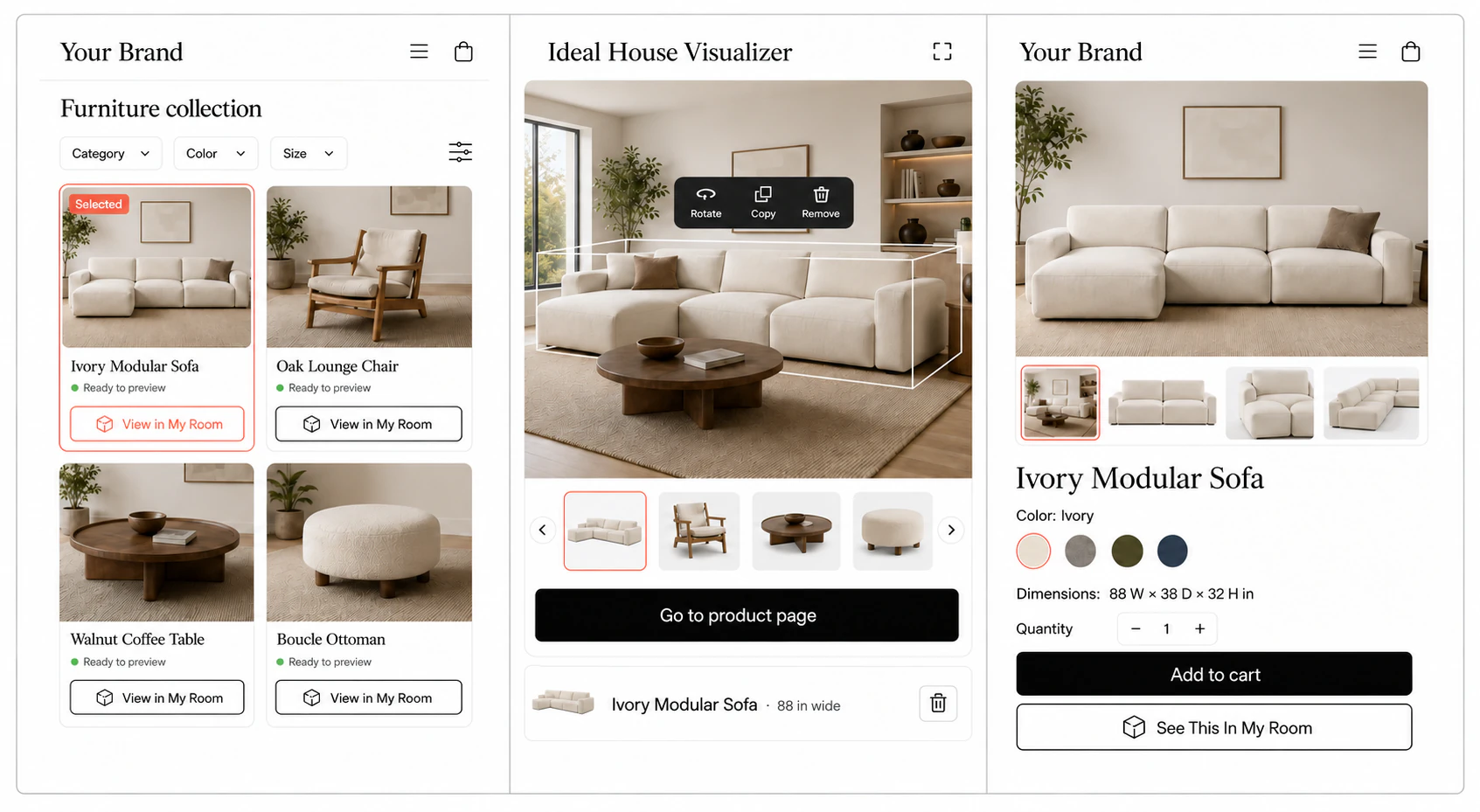
Add preview links to supported collection and product pages, so shoppers can explore the furniture that interests them.
Show the chosen piece at realistic scale, making its proportions and placement easier to compare with the rest of the room.
Provide a direct link to the same product page for dimensions, available options, and the next step in your store.
Furniture workflow
Place a selected sofa, chair, or table alongside other furnishings. Let shoppers compare its size, position, and style while keeping the chosen piece connected to your product page.
Why merchants use it
Your product photos introduce the piece. Room previews show how a sofa relates to the surrounding furniture, how a chair sits beside a table, and how the overall arrangement looks.
Preview selected sofas, chairs, and tables in furnished room scenes so shoppers can judge how the pieces look together.
Use validated product dimensions to show realistic proportions and help shoppers understand how much space a piece occupies.
Choose a focused collection with clear imagery and reliable dimensions, then add more products as the catalog is prepared.
Rollout path
A focused pilot checks product images, dimensions, cutouts, SKU mappings, and active status before preview links are added to the storefront.
The initial collection includes products with reliable dimensions, suitable imagery, and a clear room-placement use case.
Cutouts, viewpoints, physical scale, orientation, and category-specific placement requirements are reviewed before launch.
Each preview is connected to its SKU, product URL, dimensions, variants, and availability.
Preview links are added to selected collection or product pages, with a return path to the same product.
Additional products are introduced once placement quality, product links, and the shopping flow are stable.
Merchant fit
Whether you run a furniture store, manage a brand, or bring multiple sellers together, start with products whose scale and styling are easier to understand in a room.
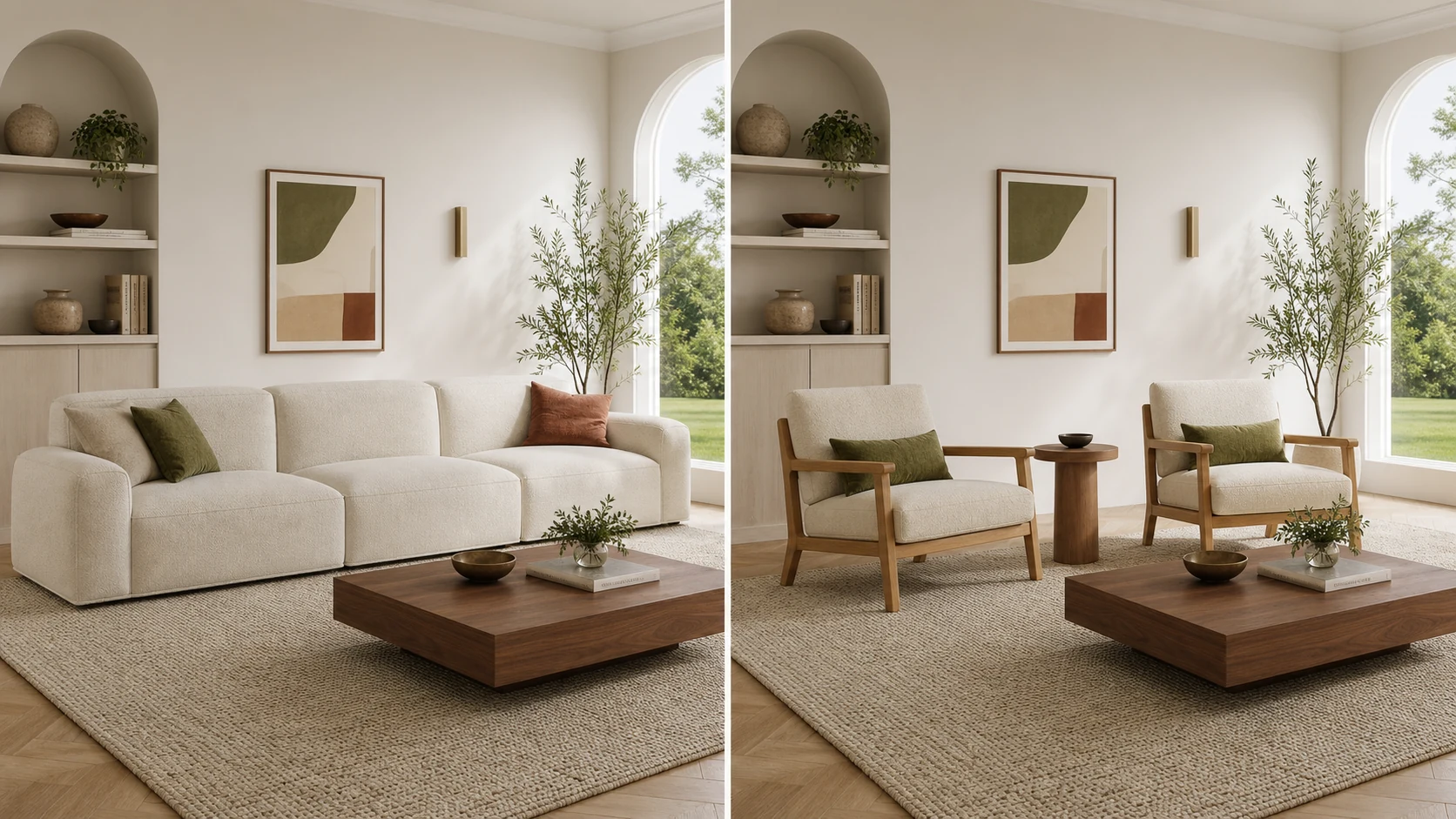
Help shoppers compare the size and style of sofas, chairs, and tables from your store before returning to the product page.
Collection-to-room previewsShow your collections in furnished rooms so customers can understand the scale, materials, and styling of each piece.
Collection launchAdd selected furniture previews alongside your other home decor categories to show how different pieces work together.
Focused category fitBring room previews to your marketplace, starting with sellers whose imagery and dimensions support reliable placement.
Category expansionEvaluation
The initial launch checks room-scale placement, visual quality, and the return path to each product page. Broader coverage follows once these parts of the experience work reliably. For broader platform evaluation, see our Roomvo alternative and Wizart alternative guides.
Related visualizers


FAQ
A furniture visualizer shows selected catalog products at realistic size and placement in room scenes. Shoppers can explore how a piece looks and fits, then return to its product page.
Yes. Share your product names, URLs, SKUs, dimensions, visual assets, and availability. A catalog review identifies which of your products are ready for the initial pilot.
Choose products with reliable dimensions and clear imagery, especially pieces whose size or placement is hard to judge from a product photo. Sofas, chairs, and tables are suitable candidates for review.
Validated width, depth, and height data support realistic proportions and placement. Product dimensions and visual assets are checked before a piece is included in the experience.
Yes. Preview links can be added to selected collection and product pages, with a return path to the same product so shoppers can continue browsing your store.
Request a catalog readiness check. Share a small collection of your furniture products so the images, dimensions, visual assets, and product links can be reviewed before launch.
Start with a catalog readiness check. Find out which of your products are ready for room previews and what you need to bring the experience to your store.
Get a catalog readiness check